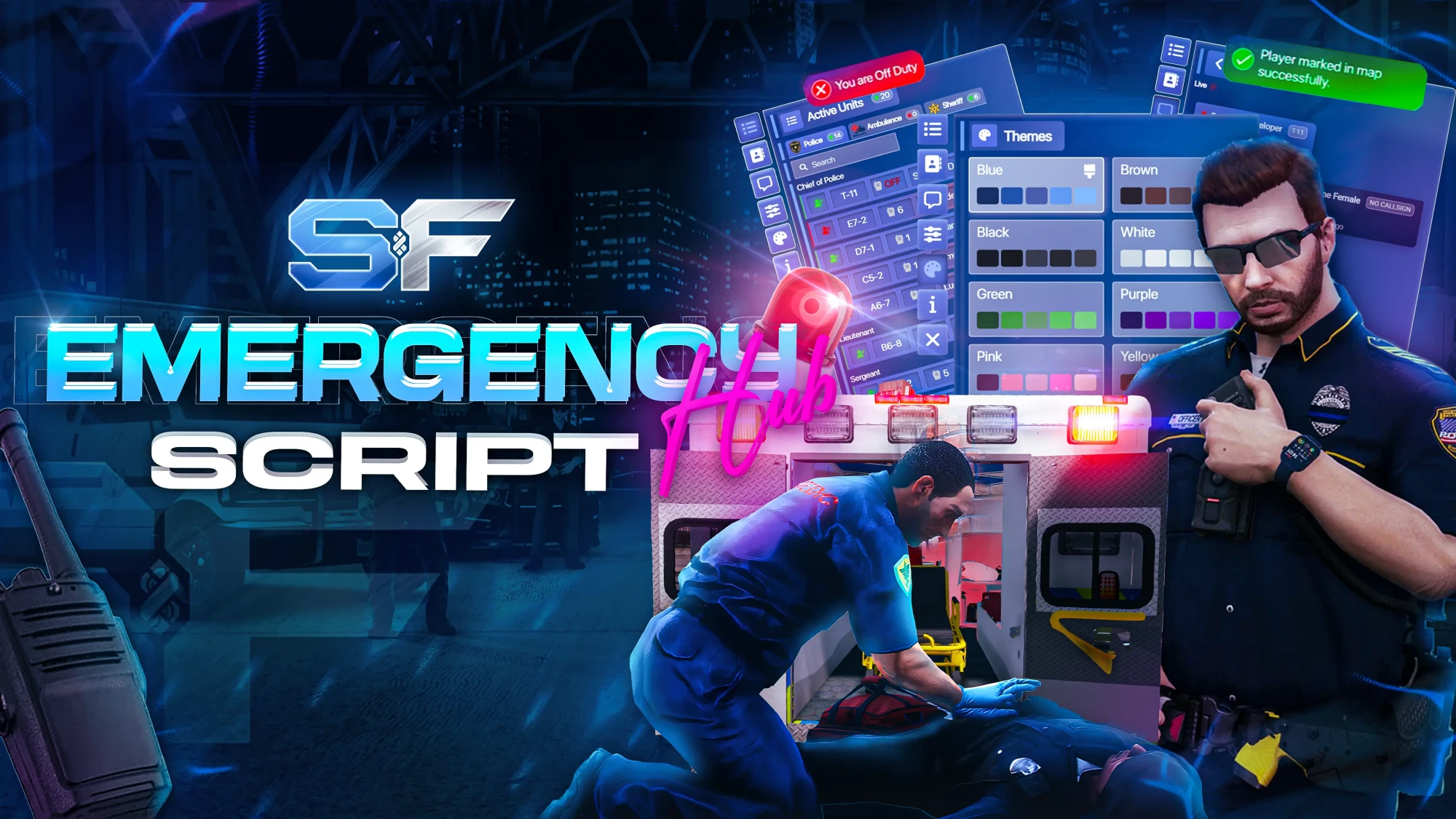
Emergency Hub
SouF Emergency Hub | FiveM Police & EMS Multi-Job System
FiveM Emergency Hub is a powerful multi-job emergency command system for Police, EMS, and all emergency roles, supporting QBCore, ESX Legacy, Qbox, and custom frameworks with real-time UI and communication. Designed for serious FiveM roleplay servers that need real-time coordination, control, and performance.
We do not offer refunds unless there is an issue caused by our resource which we are unable to resolve.
Media Gallery
Preview images and videos
Interactive Dashboard & System Management Features
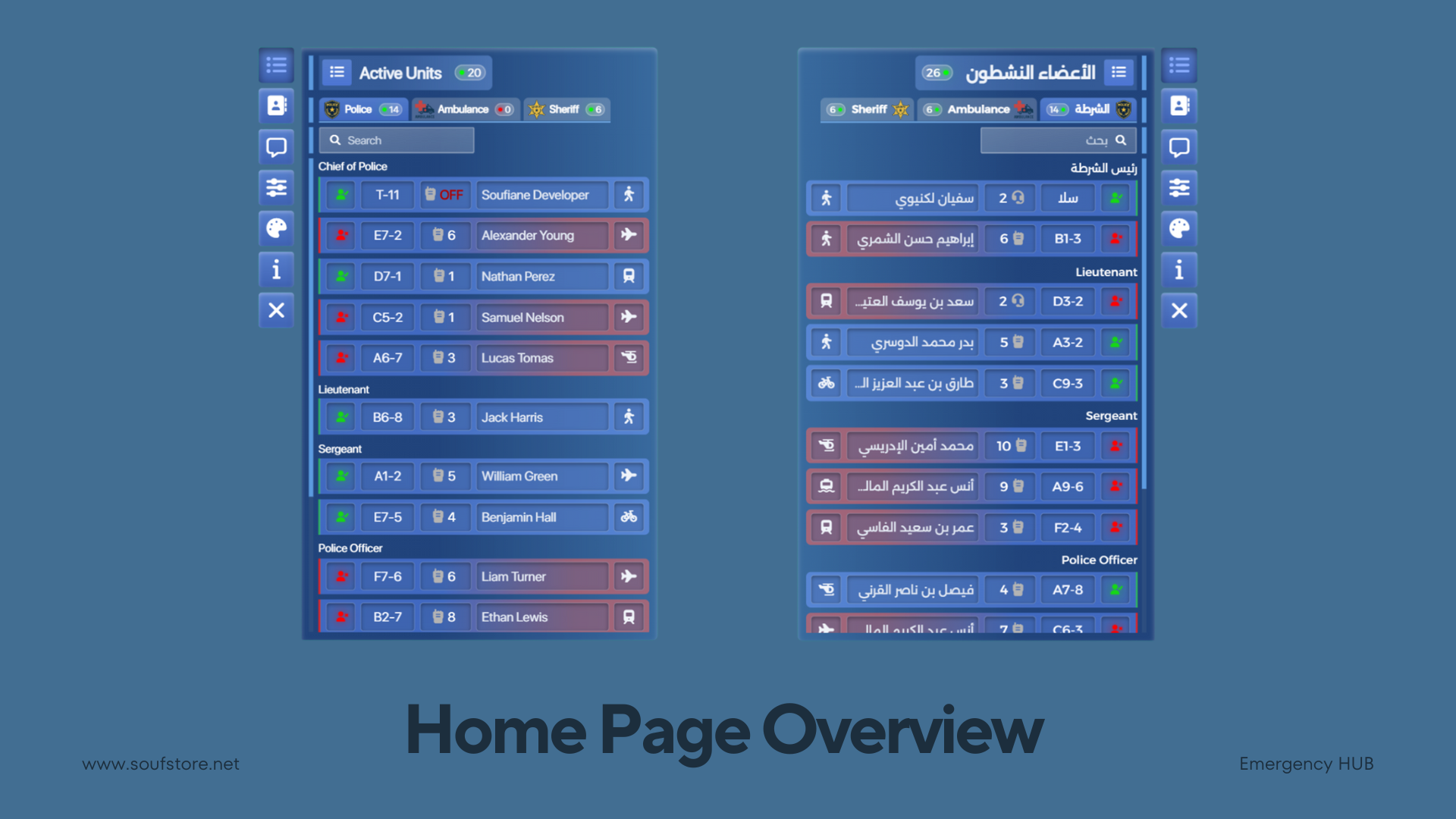
🏠 Home Page Overview
The Home Page provides a clear and dynamic overview of all groups and their members in one place. At the top, the header displays the total number of groups alongside the combined member count across all groups, giving instant insight into overall activity.
A dedicated Groups Navigation Bar allows quick access to every available group, each displayed with its logo, job label, and total member count. Users can easily locate individuals using the member search feature, which supports searching by full name for fast and accurate results.
The Members List showcases all members sorted from the highest to the lowest rank. Each member appears in a detailed slot that includes duty status, call sign, radio channel, full name, and current vehicle. The radio system is fully interactive, visually indicating when a member is actively speaking in real time.
Vehicle status is also clearly displayed, showing the member’s current mode of transport, including siren status when applicable. Supported vehicle types include on foot, car, bicycle, motorcycle, train, boat, helicopter, and airplane ensuring complete situational awareness at all times.
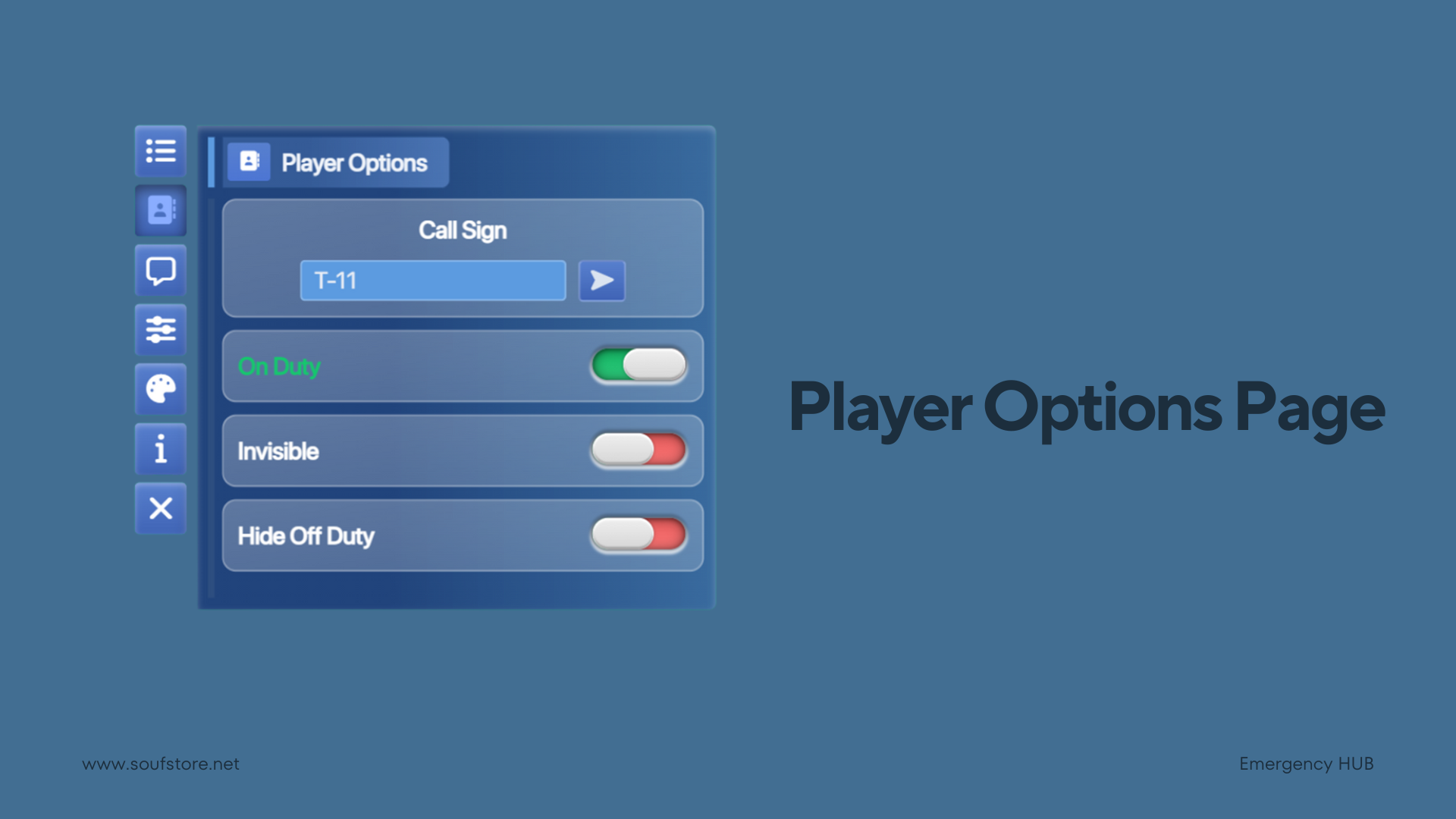
⚙️ Player Options Page
The Player Options Page allows players to fully manage their personal status and visibility settings. Players can set or update their call sign using a dedicated input field, ensuring clear identification across the system.
Duty status can be toggled between On Duty and Off Duty, instantly reflecting the player’s availability. An additional visibility option allows players to enable or disable Invisible mode, controlling whether they appear to other users.
For enhanced privacy and clarity, the Off-Duty Visibility setting lets players hide off-duty members from the Home Page member list, keeping the interface focused on active personnel only.
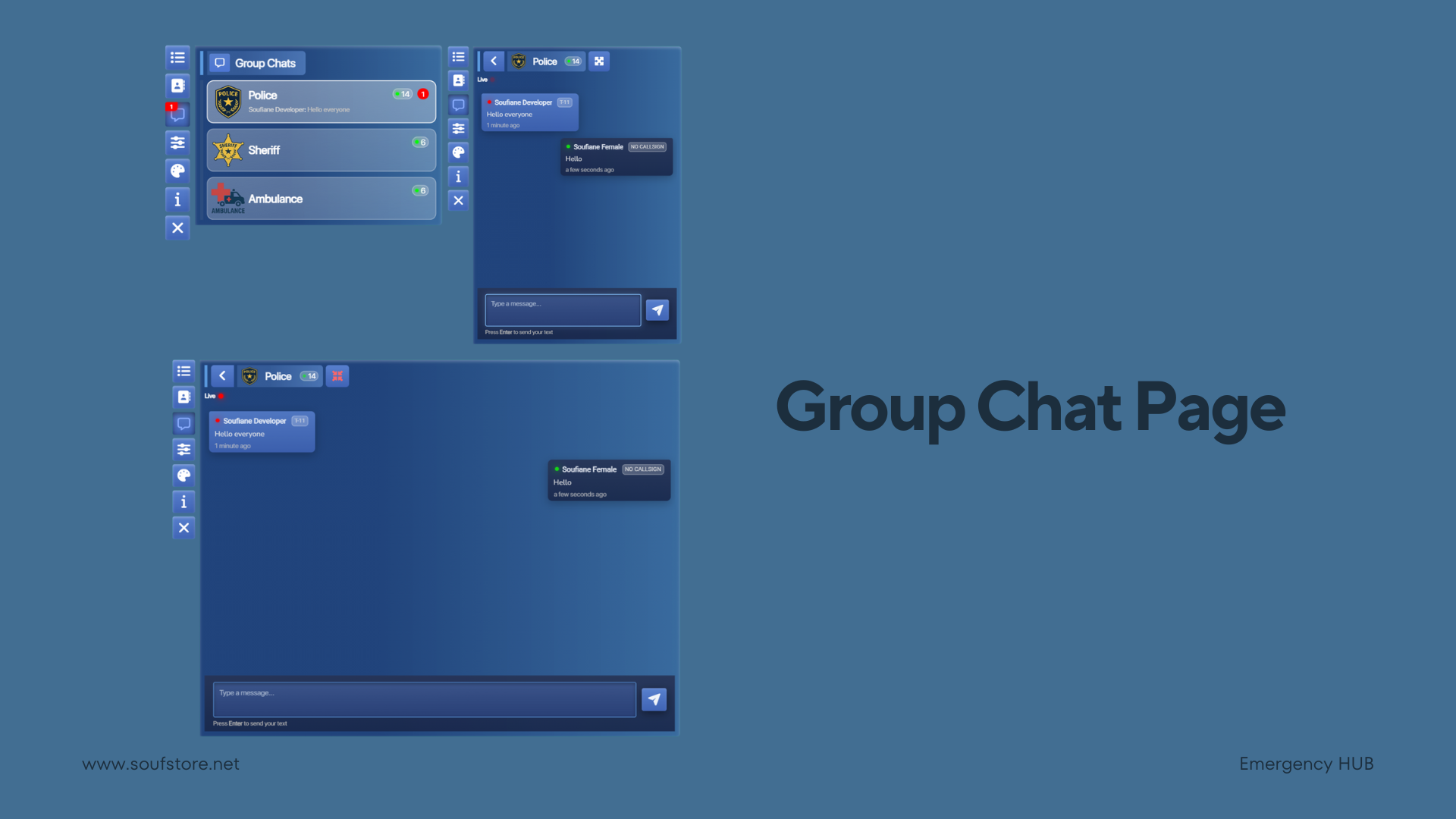
💬 Group Chat Page
The Group Chat Page provides a structured and real-time communication system designed for job-based teams. Chat functionality can be enabled or disabled per job through configuration, allowing full control over which groups have access to messaging.
Communication is organized into job-based group chats, ensuring members can only interact within their assigned job group, such as Police, Sheriff, or Ambulance. On the main page, each group chat is displayed as a dedicated card showing the job logo, job name, total number of active members, unread message count, and a preview of the latest message, including the sender’s full name and message content.
Messages are delivered in real time without the need to refresh the page. Each message displays the sender’s status (On Duty, Off Duty, or Offline), full name, call sign, and a relative timestamp. Action buttons allow users to copy messages, while delete options are available only to the original message sender.
When messages are received from members outside the current job group, the sender’s original job name is clearly shown at the top of the message, and the message is visually styled using that job’s designated color for easy identification.
The chat header provides essential controls and information, including options to maximize or minimize the chat interface, the job group label, total number of online members, the job logo, and a quick button to return to the main group chat list. For added convenience, the navigation bar chat icon displays the total number of unread messages at all times.
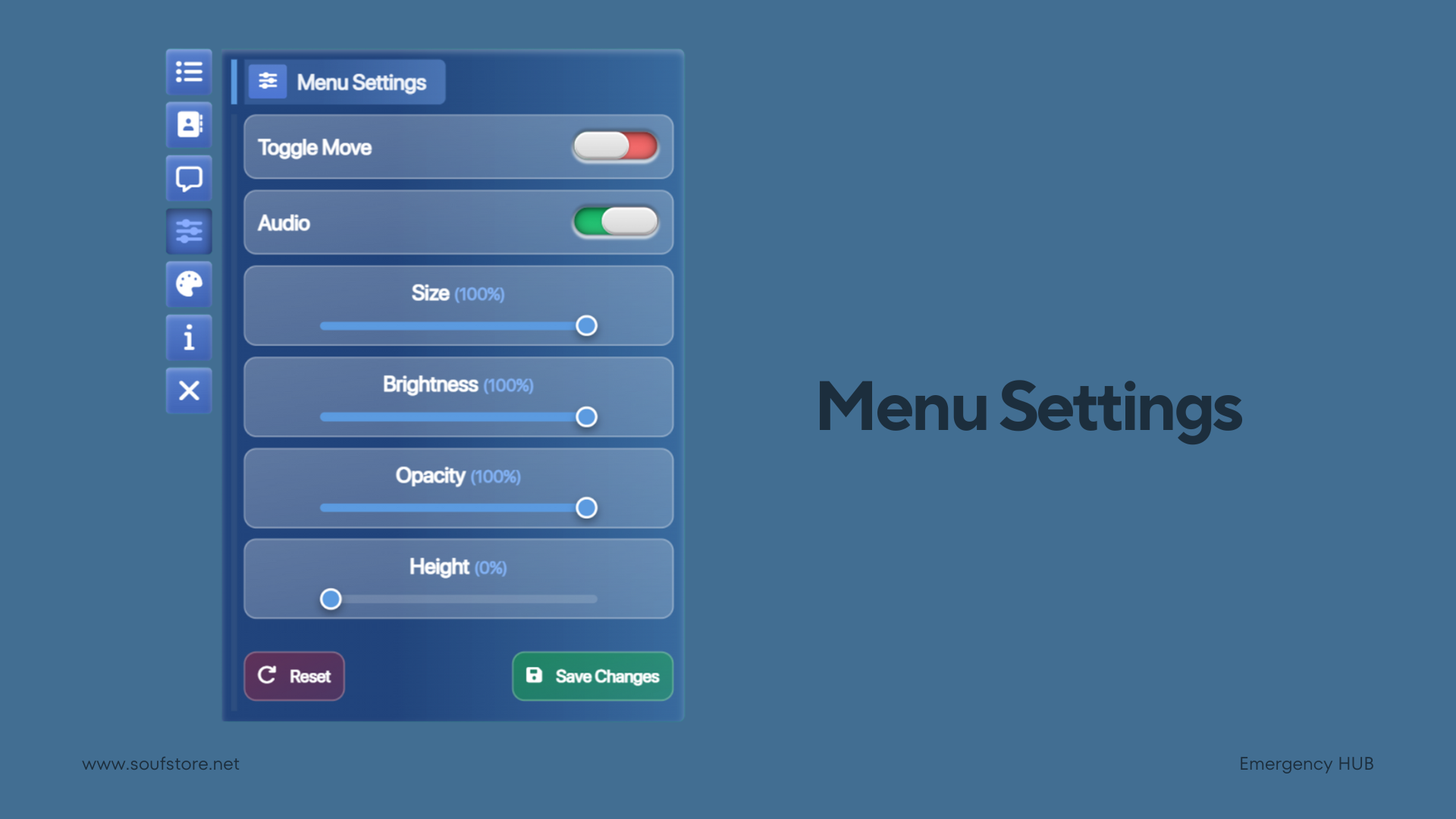
⚙️ Menu Settings
The Menu Settings page allows users to fully customize the menu’s behavior, appearance, and usability. The menu position option enables or disables menu movement, allowing the entire interface to be freely dragged and placed anywhere on the screen for maximum comfort.
Audio settings give users control over sound effects such as clicks, opening, and closing actions. These sounds can be individually enabled or disabled, and may also be force-disabled for all users through configuration settings.
For visual customization, users can adjust the menu size, brightness, and opacity using intuitive sliders. The menu height can also be modified to display more members on the main page list, improving visibility and reducing scrolling.
All changes can be saved instantly using the Save button, while the Reset button allows users to quickly restore all settings to their default values.
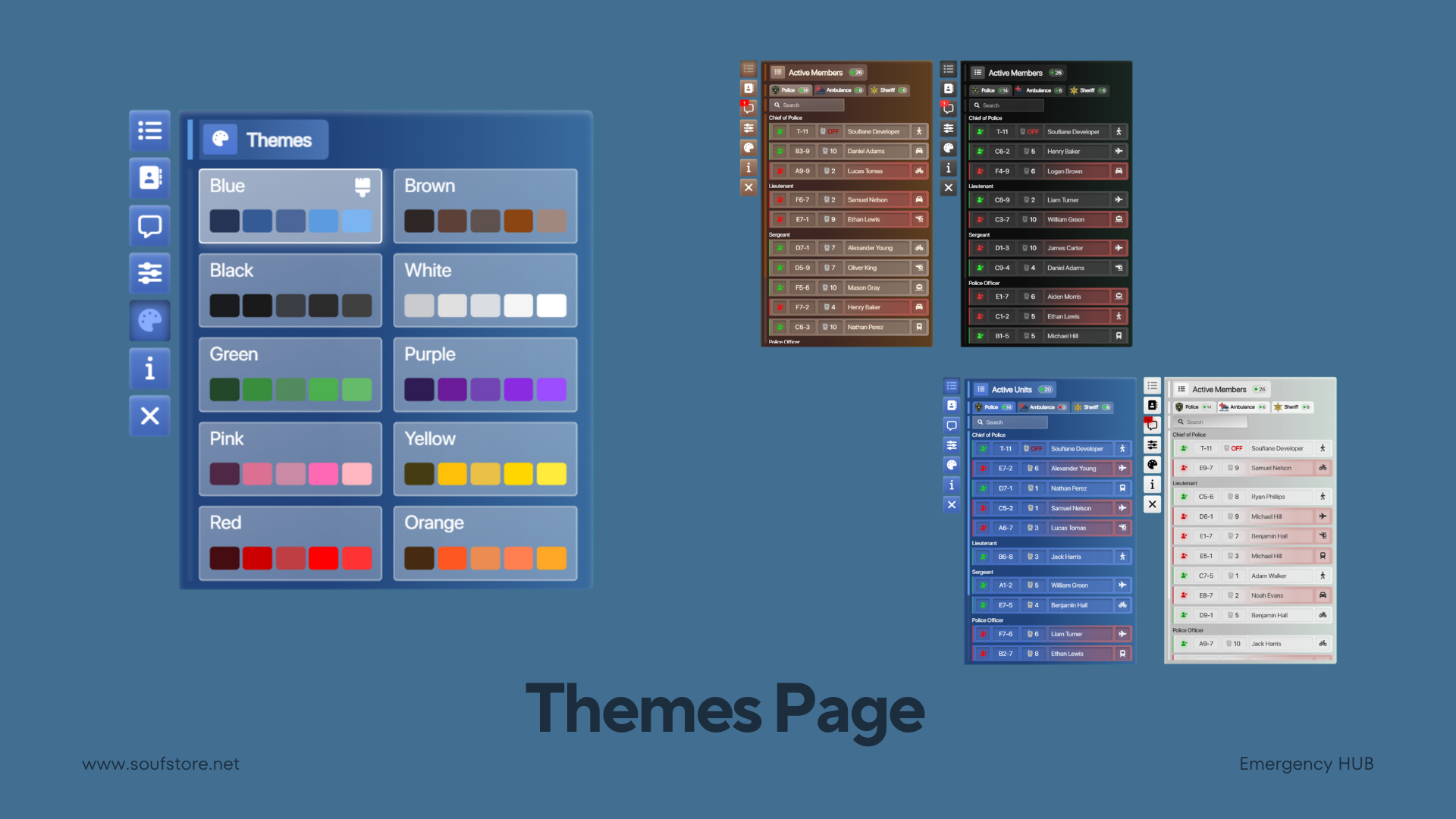
🎨 Themes Page
The Themes Page allows users to select and apply any available color theme with ease. Changing a theme instantly updates the menu’s appearance, providing immediate visual feedback without requiring a reload.
Multiple predefined color themes are included, allowing users to personalize the interface and choose a style that best matches their preference.
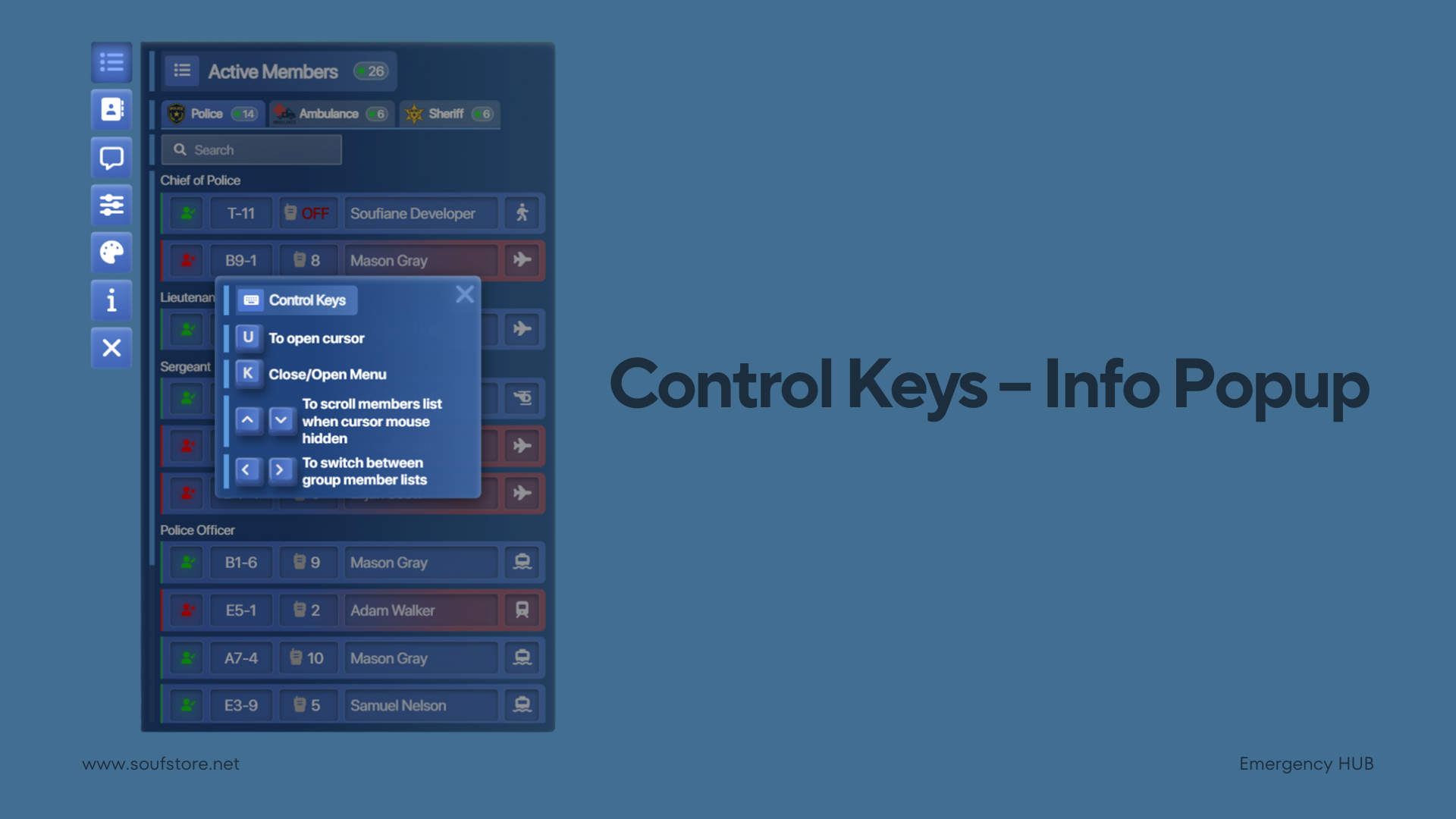
ℹ️ Control Keys – Info Popup
The Control Keys Info Popup provides clear guidance on how to navigate and control the menu when the mouse cursor is hidden. It is designed to ensure smooth and efficient interaction without interrupting gameplay.
Players can press U to display the cursor when needed and K to open or close the menu. While the cursor is hidden, smooth navigation is still fully supported—players can scroll through the members list using the Up and Down arrow keys and switch between different group member lists using the Left and Right arrow keys.
This control system enables faster navigation, seamless scrolling, and quick page switching, all without requiring the mouse cursor to be visible.
Packed with Features
Every feature is carefully crafted for maximum immersion and optimal server performance.
🏠 Home Page
Centralized dashboard showing all groups and members with real-time status updates.
🧭 Groups Navigation
Quickly switch between job groups with live member counts and job identities.
🔍 Member Search
Instantly locate members by full name within the active group.
👥 Members List
Members are automatically sorted by rank and displayed with full operational details.
📡 Radio Integration
Live radio channel display with real-time speaking indicators.
🚓 Vehicle Status
Displays each member’s current vehicle type and active siren state.
⚙️ Player Options
Personal control panel for managing identity, visibility, and duty state.
🆔 Call Sign
Assign or update your call sign directly from the interface.
🟢 Duty Toggle
Seamlessly switch between on-duty and off-duty states.
👻 Invisible Mode
Temporarily hide your presence while remaining active in the system.
🚫 Hide Off-Duty Members:
Filter the list to display only active on-duty members.
💬 Group Chat System
Job-based real-time communication with unread tracking.
📦 Group Chat Cards
Overview cards showing job activity, unread messages, and last chat updates.
🔄 Real-Time Messaging
Instant message delivery without refresh or delay.
📨 Message Actions
Copy messages or delete your own messages directly.
🏷️ Cross-Job Messages
Messages retain job identity with clear visual distinction.
🧭 Chat Header
Quick access to job info, online count, fullscreen toggle, and navigation.
🔔 Unread Message Indicator
Navigation icons display unread message counts at all times.
⚙️ Menu Settings
Full control over menu behavior, appearance, and interaction.
🧲 Draggable Menu
Move the entire UI freely anywhere on the screen.
🔊 Audio Control
Toggle UI sounds with optional global enforcement.
📐 UI Sliders
Adjust size, brightness, opacity, and menu height in real time.
💾 Save / Reset
Save custom settings instantly or restore defaults.
⌨️ Keyboard Controls
Operate the menu entirely by keyboard when the cursor is hidden.
📜 Keyboard Scrolling
Scroll member lists smoothly using arrow keys.
🔄 Keyboard Page Switching
Navigate between group lists using left and right arrows.
🎨 Themes System
Instantly apply predefined UI color themes.
🧩 Universal Job Support
Fully compatible with any job.
🌍 Supported Languages
Full multilingual support with built-in translations (English / Arabic / French / Spanish / German / Portuguese / Chinese / Polish / Dutch / Italian / Russian / Turkish / Swedish).
🔔 Discord Webhook Logs
Sends structured logs and events directly to Discord via webhooks for easy monitoring.
🧩 Framework Support
Compatible with major FiveM frameworks and flexible enough for custom integrations QBCore, ESX, Qbox.
Requirements
Make sure you have these resources installed before using this script.


Loved by 700+ Customers
Real reviews from real server owners using our scripts.